Smart Home Basics: How to Get Started
A smart home doesn't have to be complicated or expensive. Here's how to choose a system, which devices are worth buying first, what Matter means, and how to keep your devices private and secure.
By Pond.com editors Updated 5 min read
Quick answer
- Pick one main system first (Amazon Alexa, Google Home, Apple Home or Samsung SmartThings), usually the one that matches the phone and speakers you already use.
- Start small with smart plugs, smart bulbs or a smart thermostat, then add more once you know what's useful.
- Look for the Matter logo on new devices. Matter devices work across all the major systems.
- Check that your Wi-Fi reaches every room where you'll put devices, especially the front door and garage.
- Change default passwords, turn on two-factor sign-in and keep device software updated.
A smart home simply means some of your lights, appliances and home systems can be controlled from your phone, by voice or on a schedule. You can start with a single $15 smart plug and build from there. The key is choosing devices that work well together, and setting them up securely.
Step 1: Choose your main system
Your "system" is the app and voice assistant that ties everything together. The four big ones are:
| System | Works best if you | Voice assistant |
|---|---|---|
| Amazon Alexa | Have or want Echo speakers; want the widest device choice | Alexa |
| Google Home | Use Android or Google services; have Nest speakers or displays | Google Assistant / Gemini |
| Apple Home | Use an iPhone; care most about privacy and simple setup | Siri |
| Samsung SmartThings | Want detailed control and automations; have Samsung appliances | Works with Alexa and Google, or Bixby |
Most people choose the system that matches the phone and speakers they already have. You can mix systems, but things are simpler with one.
Step 2: Understand Matter, Thread and Wi-Fi
You'll see these words on device boxes.
- Matter is a shared standard backed by all the major brands. A Matter device works with Alexa, Google Home, Apple Home and SmartThings, and can be added to more than one at once. When you have a choice, pick devices with the Matter logo.
- Thread is a low-power wireless network used by many Matter devices, especially battery-powered sensors and locks. It needs a "Thread border router," which is built into many recent smart speakers, displays and streaming boxes.
- Wi-Fi devices connect straight to your router. They're easy to set up, but lots of them can crowd a basic router. Many smart devices only use the 2.4 GHz Wi-Fi band, which most routers provide alongside 5 GHz.
Step 3: Start with these devices
| Device | What it does | Good to know |
|---|---|---|
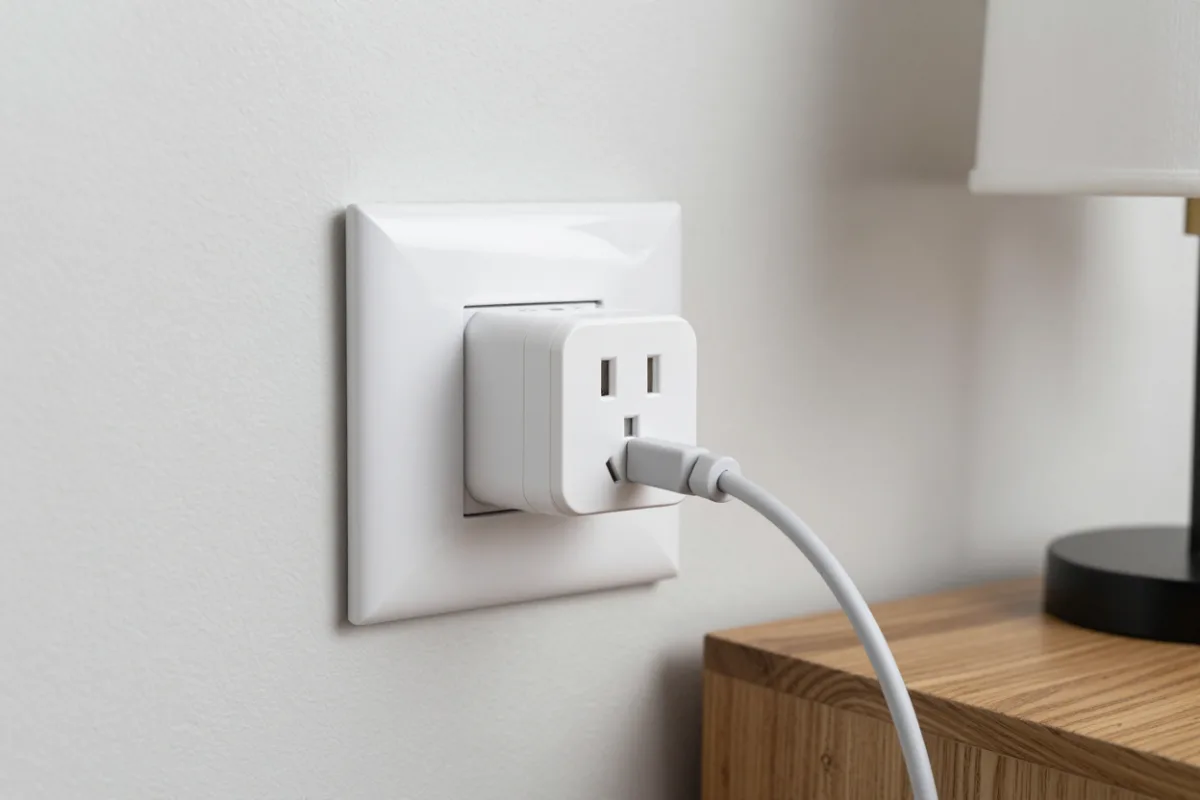
| Smart plug | Turns any lamp or small appliance on and off by app, voice or schedule | The cheapest, easiest start; great for renters |
| Smart bulbs | Dim, change color and follow schedules | Wall switches must stay on; consider smart switches instead for whole rooms |
| Smart thermostat | Learns your schedule and adjusts heating and cooling | Check compatibility with your HVAC system; many need a "C-wire" |
| Video doorbell | Shows who's at the door; records motion | Many need a subscription to save recordings |
| Smart lock | Locks and unlocks by phone or code; no keys to lose | Choose one with a backup key or keypad |
| Leak sensors | Alert your phone if water appears under a sink or water heater | Cheap, and can prevent expensive damage |
| Smart smoke/CO alarm | Sends an alert to your phone when it sounds | Useful when you're away from home |
Start with one or two devices, live with them for a few weeks, and add more once you know what you actually use.
Step 4: Set up routines
Routines (also called automations or scenes) are where a smart home becomes useful.
- Good morning: lights come on slowly and the thermostat warms the house before you get up.
- Leaving home: one tap or voice command turns off lights, locks the door and sets the thermostat back.
- Vacation: lamps turn on and off in the evening so the house looks lived in.
- Bedtime: downstairs lights turn off and doors lock.
Step 5: Keep it private and secure
Every connected device is a small computer on your network. A few habits keep it safe.
- Buy from reputable brands that publish how long they'll provide security updates.
- Use a strong, unique password for each smart home account, and turn on two-factor sign-in.
- Turn on automatic updates for devices and apps, and keep your router's software up to date.
- Change your router's default admin password and use WPA3 or WPA2 security on your Wi-Fi.
- Consider a guest network for smart devices, so they're kept apart from your computers and phones.
- Think about camera placement. Avoid pointing indoor cameras at bedrooms and bathrooms, and check what your doorbell camera sees of neighbors' property.
- Review the privacy settings in each app, including voice recording history and data sharing.
Renting? Keep it portable
Stick to devices that need no wiring: smart plugs, smart bulbs, battery-powered sensors and plug-in cameras. Ask your landlord before changing a thermostat, door lock or doorbell, and keep the original parts to put back when you move.
Common questions
Matter is a shared standard for smart home devices, backed by Amazon, Apple, Google, Samsung and many others. A device with the Matter logo can be set up in any of the major smart home apps, so you're less locked in to one brand.
Often not. Many devices connect straight to Wi-Fi and work with a phone app. Some systems use a hub or a smart speaker as a controller, and Matter devices that use Thread need a Thread border router, which is built into many recent smart speakers and streaming boxes.
Smart devices can be secure if you take some basic steps. Buy from reputable brands that provide security updates, use a strong unique password and two-factor sign-in for each account, keep your router's software updated, and turn on automatic updates for devices.
Yes. Smart plugs, smart bulbs, battery-powered sensors and plug-in cameras need no wiring and come with you when you move. Ask your landlord before replacing a thermostat, lock or doorbell.
It can, mainly by turning the heat down or the cooling up automatically when you're asleep or away. How much you save depends on your habits, climate and how you used your old thermostat.