Are Smart Thermostats Worth It?
A smart thermostat can lower heating and cooling bills by adjusting temperatures automatically. Here's how much they can save, what features matter, how to check compatibility with your system, and when they're not worth it.
By Pond.com editors Updated 3 min read
Quick answer
- Smart thermostats can save money by lowering heating and cooling when you're asleep or away, often around 8% a year according to ENERGY STAR.
- Savings are biggest if you don't already use a programmable thermostat well.
- Check compatibility with your heating and cooling system before buying, especially for heat pumps and multi-stage systems.
- Many need a C-wire (common wire) for steady power; some include an adapter.
- Many utilities offer rebates on ENERGY STAR certified smart thermostats.
Heating and cooling are usually the biggest part of a home's energy bill, which is why smart thermostats have become so popular. They can lower costs automatically, but whether one is worth it for you depends on your current habits and your system.
How smart thermostats save money
- Schedules: they lower heating or cooling when you're asleep or away and bring it back before you return.
- Away detection: many use your phone's location or motion sensors to tell when nobody's home.
- Learning: some models learn your routine and build a schedule for you.
- Remote control: adjust from your phone if your plans change.
- Energy reports show how settings affect your use.
ENERGY STAR estimates certified smart thermostats save about 8% on heating and cooling bills on average. Setting your thermostat back 7 to 10°F for 8 hours a day can save up to about 10% a year on heating and cooling, which is the kind of change a smart thermostat makes automatic. See how to lower your heating bill.
Are they worth it for you?
Likely worth it if you:
- Have a manual thermostat, or never set your programmable one
- Have a regular routine, or are often away
- Want to control the temperature from your phone
- Can get a utility rebate
Less worth it if you:
- Already use a programmable thermostat schedule well
- Are home all day at a steady temperature
- Have a system that isn't compatible
Check compatibility first
Most smart thermostats work with common forced-air furnaces, central air and many heat pumps, but check before you buy:
- Your system type: gas, electric, heat pump, boiler, multi-stage. Many brands have online compatibility checkers.
- Line-voltage systems, like baseboard heaters, usually need special thermostats.
- The C-wire: many smart thermostats need a common wire for continuous power. Some include an adapter if you don't have one.
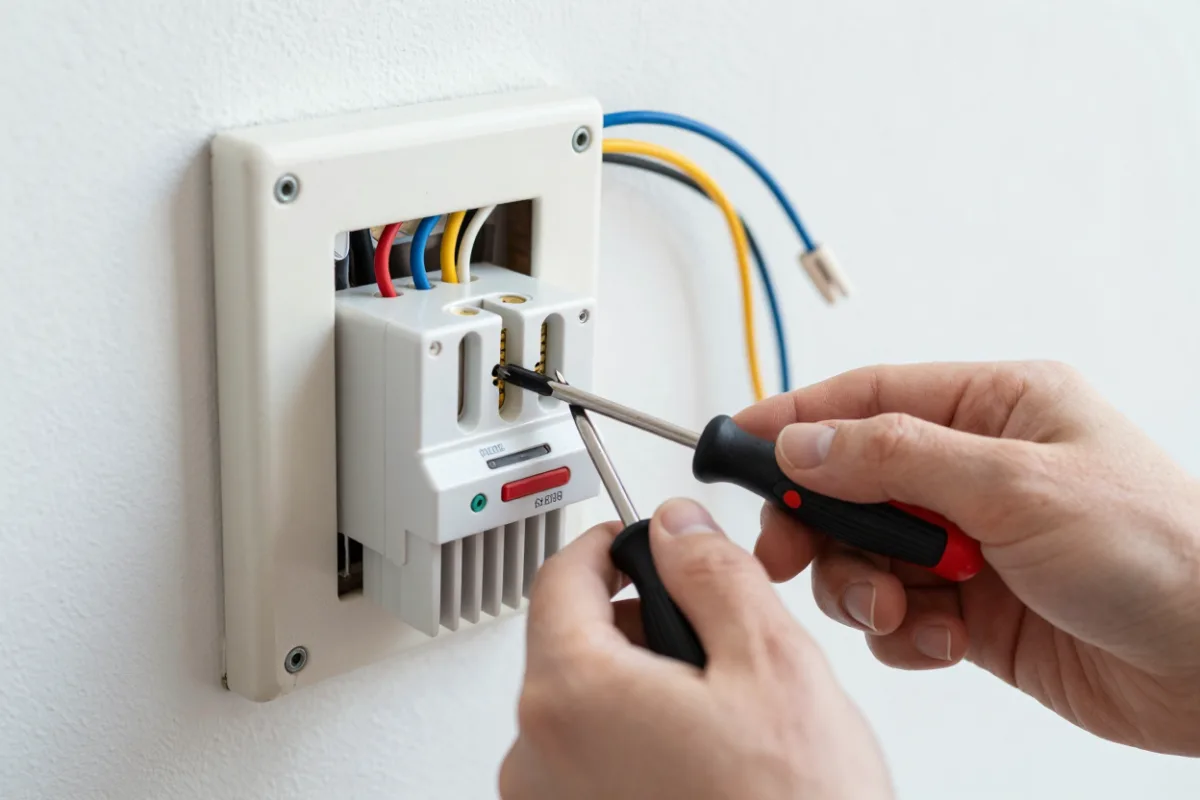
Installing one
Many people install a smart thermostat themselves in under an hour: turn off power to the system at the breaker, photograph and label the existing wires, connect them to the new base, and follow the app setup. If your wiring is unusual or you're unsure, an HVAC technician can install it.
Look for rebates
Many utilities offer rebates on ENERGY STAR certified smart thermostats, and some offer extra credits for joining programs that adjust your thermostat slightly during peak demand. Check your utility's website before buying.
Common questions
ENERGY STAR estimates that certified smart thermostats save about 8% on heating and cooling bills on average. Actual savings depend on your climate, energy prices, your home and how you used your old thermostat.
A C-wire, or common wire, provides continuous power to the thermostat. Many smart thermostats need one to run their screen and Wi-Fi reliably. If you don't have one, some models include a power adapter, or an HVAC technician can add one.
A programmable thermostat can save just as much if you set and use its schedule well. Smart thermostats make it easier, with app control, automatic schedules, away detection and energy reports, which is why many people save more with them in practice.